




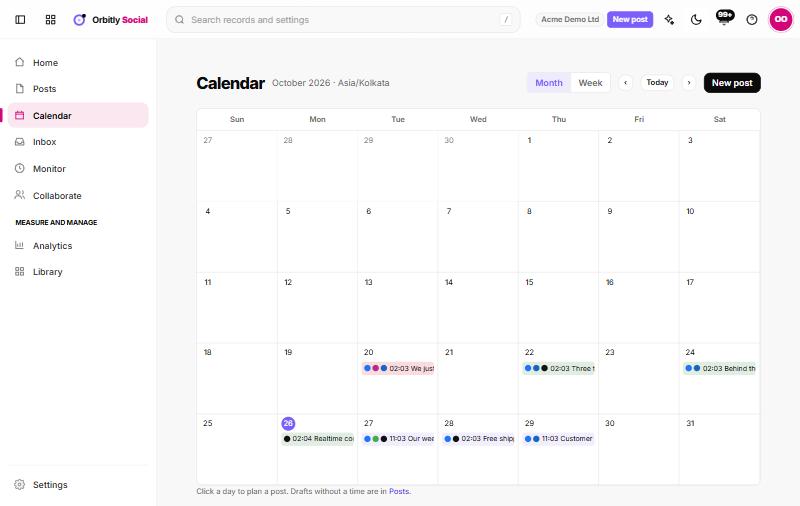


The month at a glance, drag to reschedule
See every scheduled post by day and channel, move one to a quieter day and spot gaps before your audience does.
- Month and week views
- Drag to reschedule
- Drafts and approvals visible

Write once, schedule at the best times, answer every comment from one inbox and see which posts earned their place.
Free plan available. No card needed.
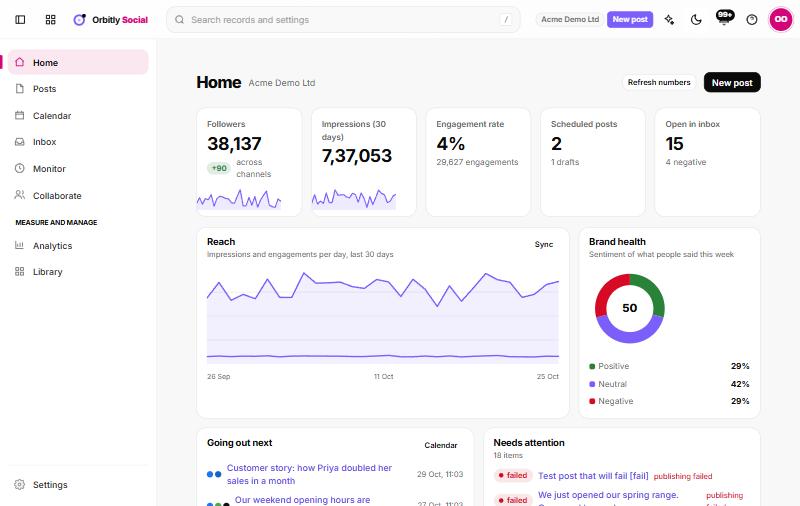
The whole loop on one screen, from the idea to the number that tells you it worked.
Get caption ideas in your brand voice and a suggested time for each channel, based on when your own audience is online. You edit and approve everything.
See every scheduled post by day and channel, move one to a quieter day and spot gaps before your audience does.
Reply without switching tabs, assign a message to a teammate and flag the ones that need a careful answer.
Reach and engagement by channel and post, with the best times and topics ranked so planning next month is quick.
Shared account and customer record across Orbitly, plus the tools you already use.
Per user, billed yearly. Upgrade in place when you need more, and bundle every app with Orbitly One.
| Feature | FreeFreeTry it with a small team. | Standard₹249 / user / monthFor teams getting going. | ProfessionalMost popular₹499 / user / monthFor growing teams that want automation. | Ultimate₹899 / user / monthFor companies that need control. |
|---|---|---|---|---|
| Users | Up to 3 | Up to 15 | Unlimited | Unlimited |
| Composer and queue | ||||
| Content calendar | ||||
| Unified inbox | ||||
| Monitoring | ||||
| Approvals | ||||
| Analytics | ||||
| Works with every Orbitly app | ||||
| Support | Community | Priority email | Dedicated manager | |
| Choose a plan | Start free Free | Choose Standard | Choose Professional | Choose Ultimate |
The list depends on what each network allows. Check the integrations page for the current channels.
Yes, with a version per channel.
Yes, they get a review link.
It suggests times from your own audience activity.
Yes, for a few channels.
Set it up in minutes. Add the rest of Orbitly whenever you are ready.