Add a customer
Save a customer once so their details fill in on every invoice.
A customer keeps their name, address, GST details and payment terms in one place. When you pick them on an invoice, those details fill in for you.
Add one customer
- Open Customers and choose + New.
- Choose Business or Individual for the customer type.
- Enter the Display Name. This name appears on every document.
- Add the Company Name, Email Address and phone numbers if you have them.
- Open the Other Details tab. Choose a GST Treatment (required), and enter the GSTIN / UIN for registered businesses. You can also set Place of Supply, PAN and Payment Terms here.
- Open the Address tab to add the Billing Address and Shipping Address.
- Choose Save.
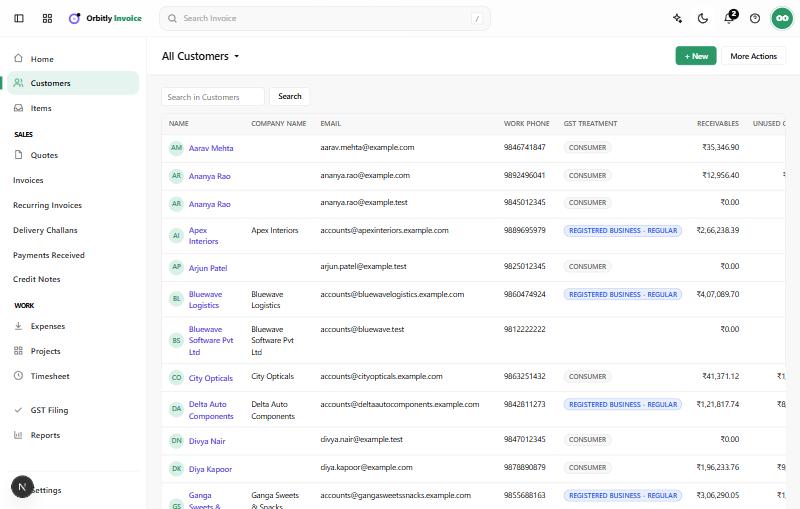
Find and change a customer
Use the search box above the list. Click a name to see their details, then edit them from there. The Other Details tab also has a Credit Limit and an Enable Portal option.
Add many at once
Open More Actions on the Customers page to import a file or export your list.
Next
Create and send an invoice for your new customer.
Was this not what you needed? Contact support or search again.